- Personal data is masked first.
- The request is sorted: a question, a settings change, something for CitiDev, a refusal, or work for a department.
- A department drafts the work.
- Work that leaves the unit waits for a person to approve it.
- Approved work goes to the sandbox outbox: nothing leaves Cloudflare yet.
Steps and status
Every session shows its steps as a list, and one status:
- Running: being sorted or drafted.
- Waiting for approval: a draft or a change waits on a person.
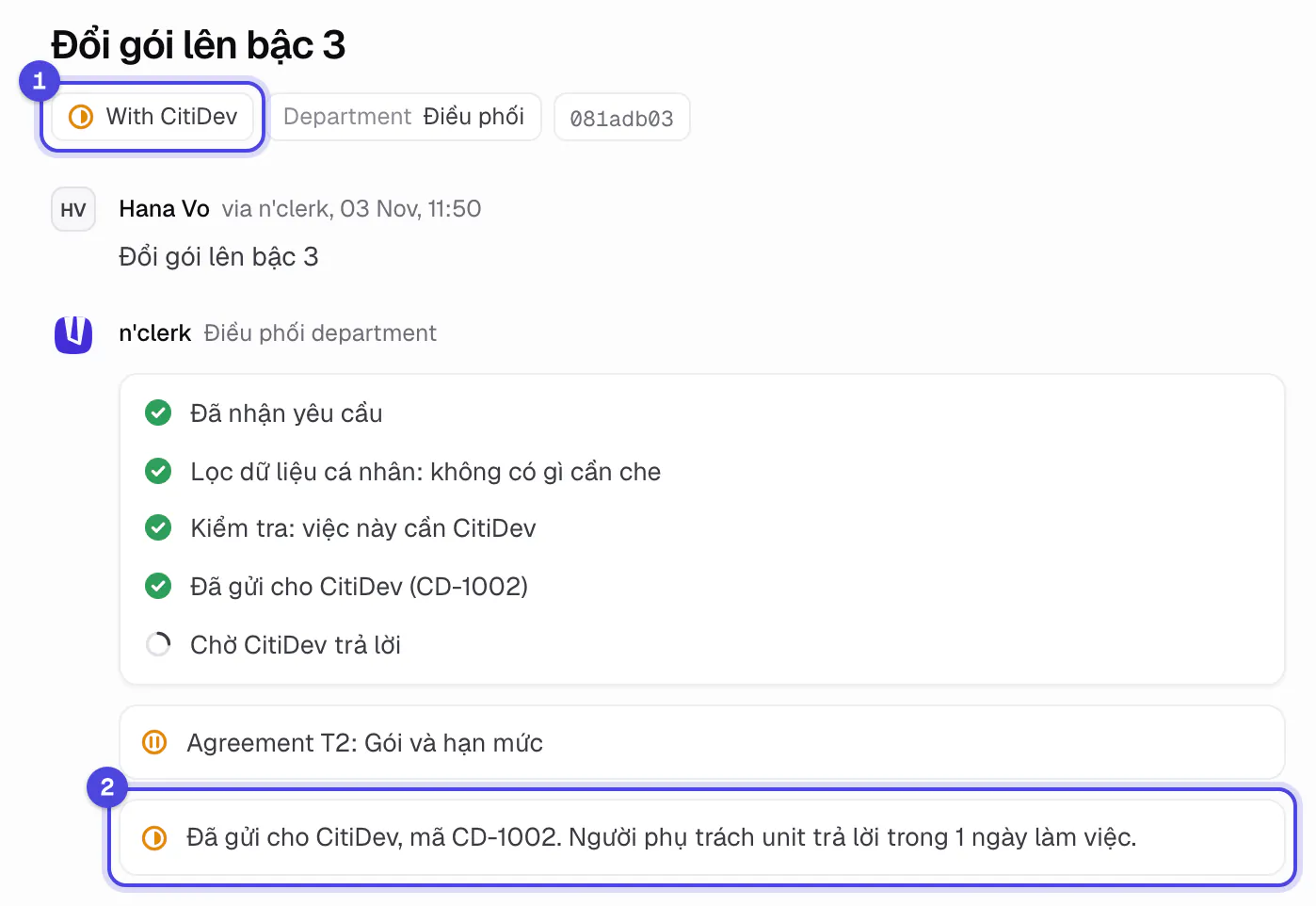
- With CitiDev: recorded for CitiDev.
- Held: stopped, and it will not run on its own.
- Failed: drafting ran into an error.
- Done or Closed: finished.
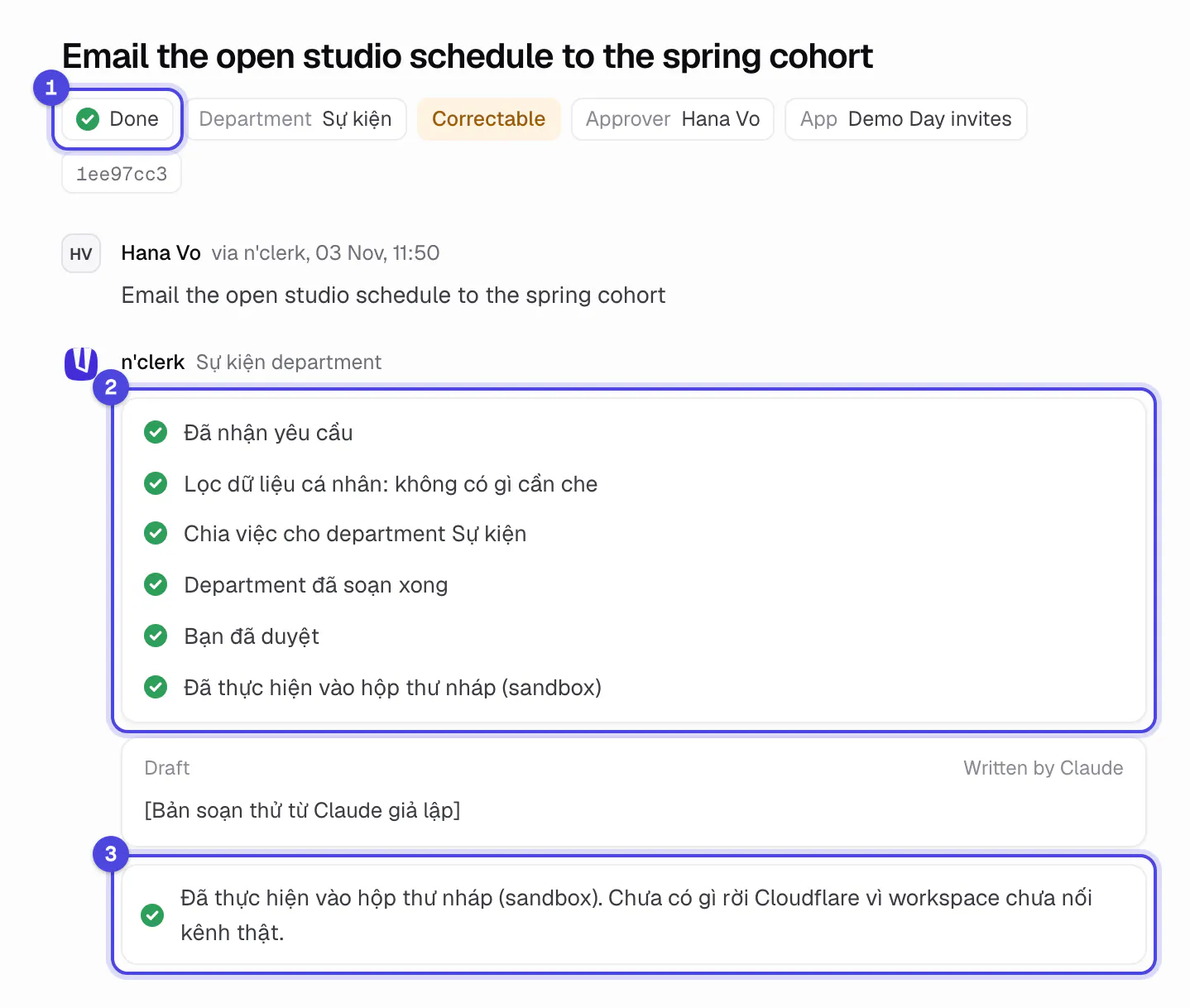
How a request is sorted
n'clerk reads the words of the request with fixed keyword rules and sorts it into one of five kinds:
- A question about the workspace, such as how much of the plan is used or who approves what, is answered in the session from the workspace's own records.
- A settings change, such as turning a department on or changing who approves technical work, becomes a proposed change with a diff that a lead applies. See Undo and versions.
- Something only CitiDev can change, such as the plan, where data is kept or a new connection, gets a "Needs CitiDev" card. See below.
- A request to switch off a rule, such as approval or the personal data filter, is refused: the session names the rule and nothing changes.
- Work goes to the department whose words it matches, or to the default department.
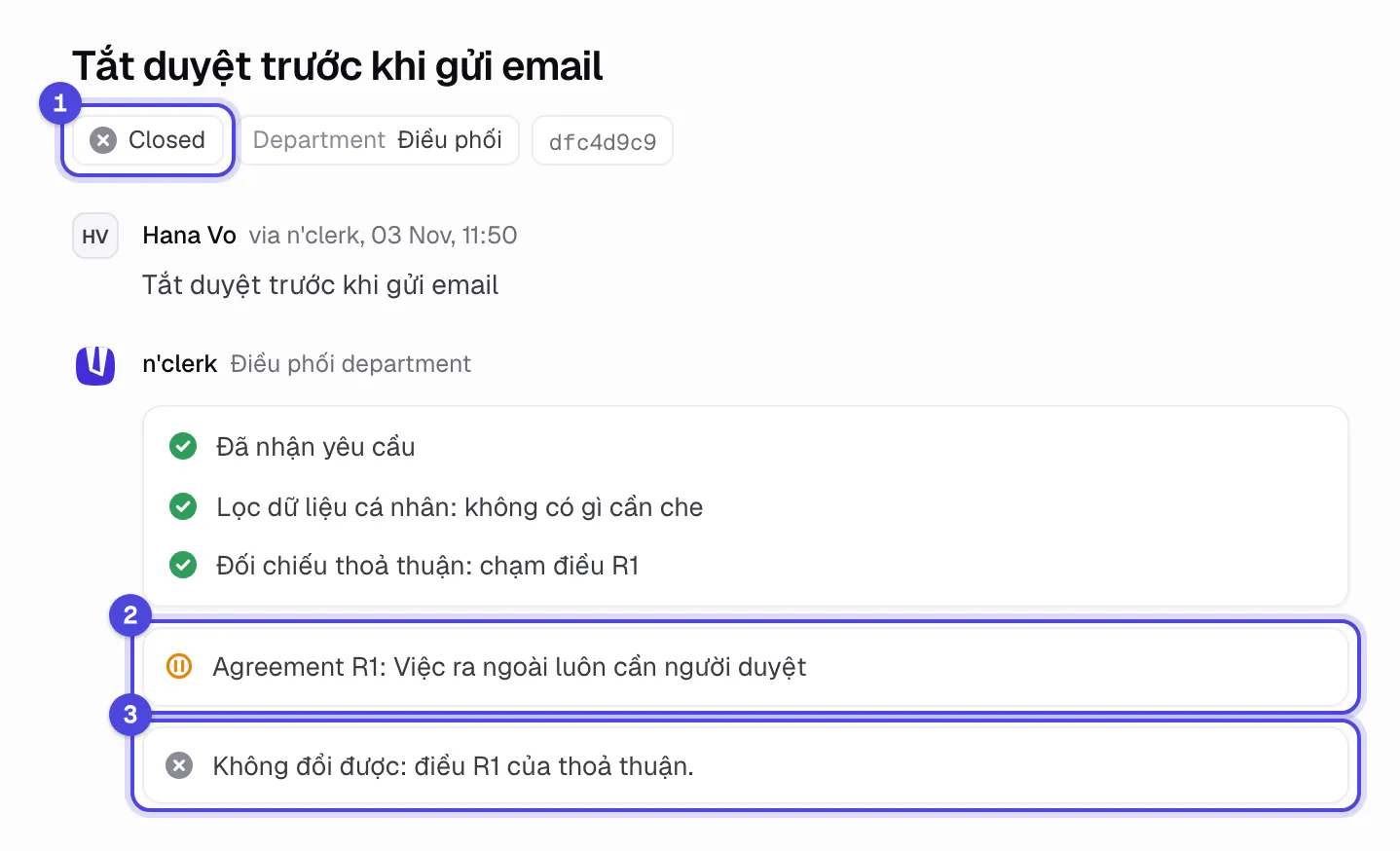
Drafting
The department drafts the result. With an AI key, the AI model writes it and the draft says "Written by Claude". Without one, the draft is a template that shows where the real draft will go. AI key and usage explains which key is used.
- When the department's work goes outside the unit, such as an email, a post or a deploy, the draft waits for approval. See Approve and decline.
- Work that stays inside the unit is done at once, with no approval.
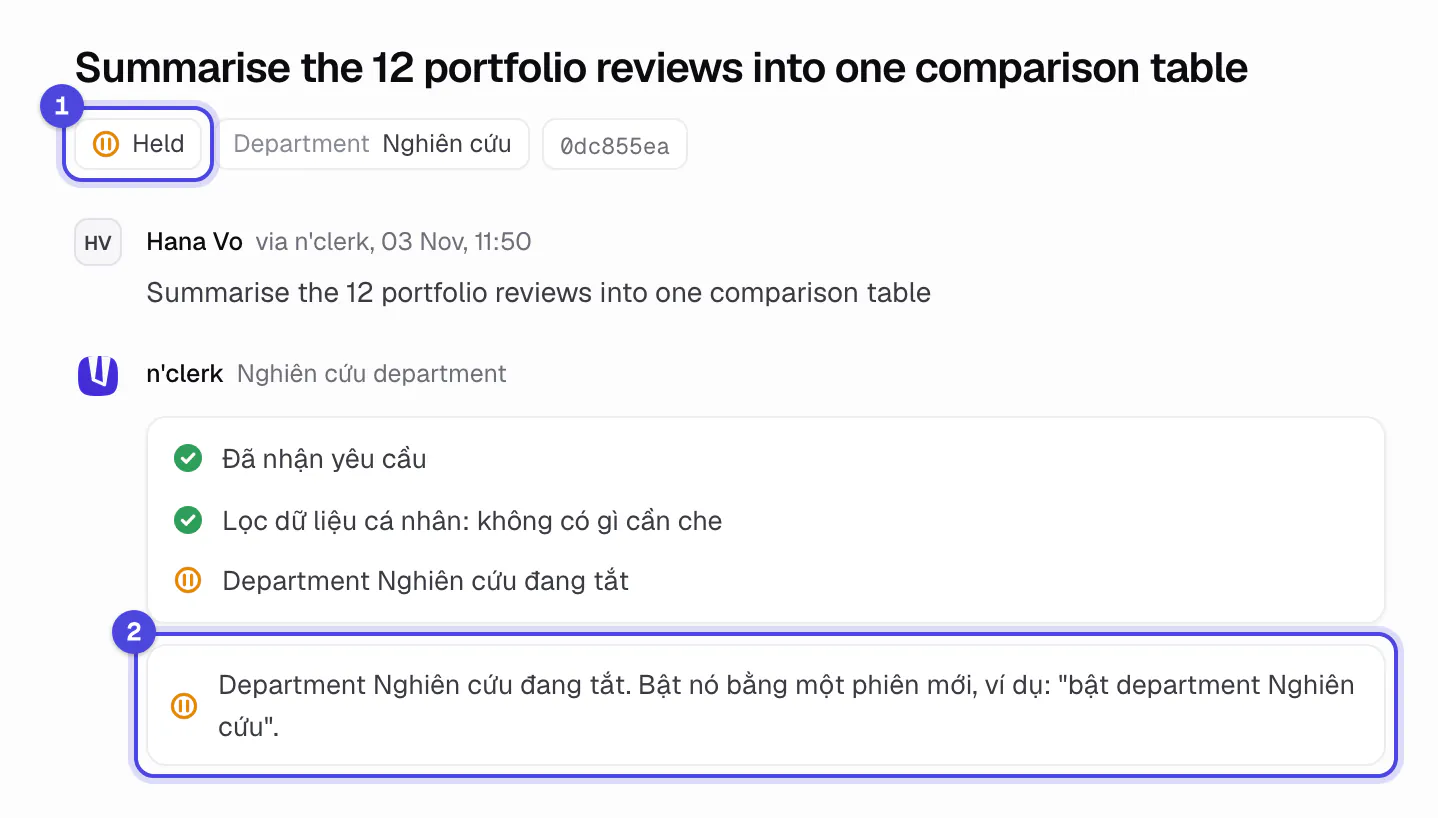
Why a request is held
- Its department is turned off. Turn it on with a settings change, then ask again.
- Its project is closed.
- It is a deploy for a project whose repo or environment has not been granted yet. The draft is kept. To have access granted, make a request for CitiDev.
- Its approval expired. An approval never runs on its own.
While everything is paused, nothing is drafted. See Stop and resume.
How a request ends
- A question is answered in the session.
- Work that stays inside the unit is done.
- Approved work is written to the workspace's sandbox outbox and the session is done. Nothing leaves Cloudflare yet: there are no connections to real channels.
- A declined approval, a discarded change or a refused request closes the session, and nothing happens.
Requests that need CitiDev
Some things only CitiDev can change: the plan, where the unit's data is kept, new connections, and access to a project's repo or environment. Such a request gets a "Needs CitiDev" card that asks "Send this to the person at CitiDev who looks after this unit?"
- A lead, or the person who made the request, presses "Send to CitiDev" or "Discard".
- "Send to CitiDev" records the request in the workspace with a reference such as CD-1001, and the session shows With CitiDev.
- Nothing forwards it to CitiDev by itself. Tell your CitiDev contact, with the reference.

Something here does not match what you see? Tell your CitiDev contact.