Finding your way
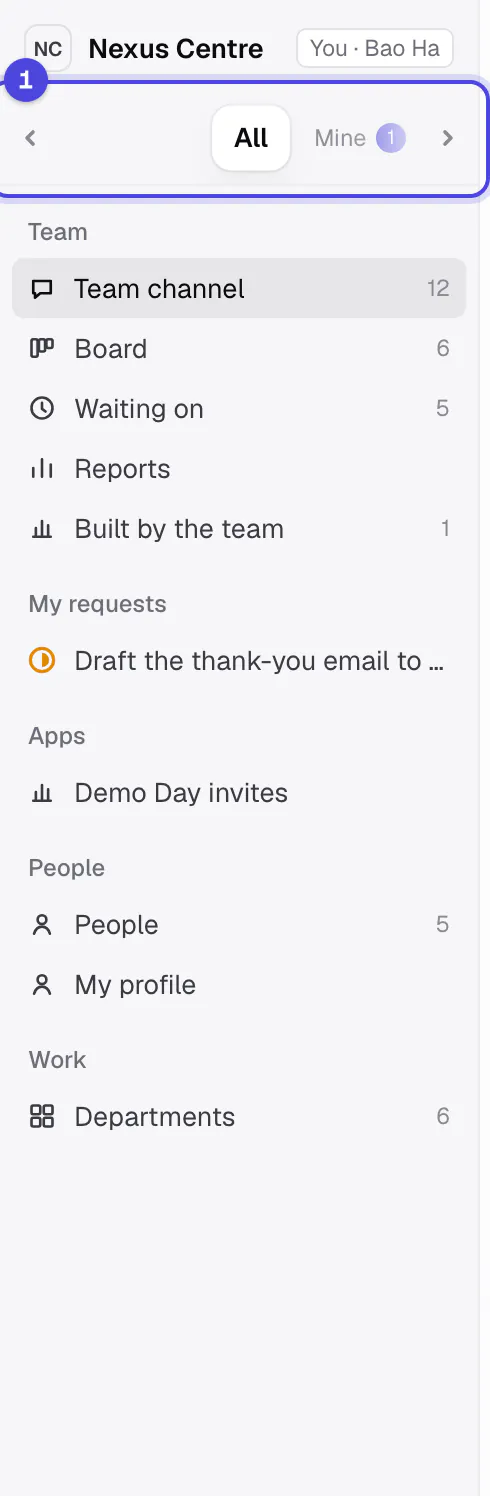
The top of the sidebar has a row of sections: All, Mine, Team, Apps, People and Work. Move with the arrows, the mouse wheel or the arrow keys. Mine lists the requests you made.

The team channel
Everyone in the unit, and the departments. Posts are newest first, with threads of replies; "Show earlier" loads older ones. A post can link to the session or app it is about.
- Turn on "Hand to a department" to make a post a request. See Make a request.
- n'clerk posts what people should see: a draft waiting for approval, work done, held or failed, an approval given, declined or expired, a settings change applied or undone, a request sent to CitiDev, and the apps. A post about a session goes into the thread of the post that started it.
- Posts and replies are masked like requests.
The board
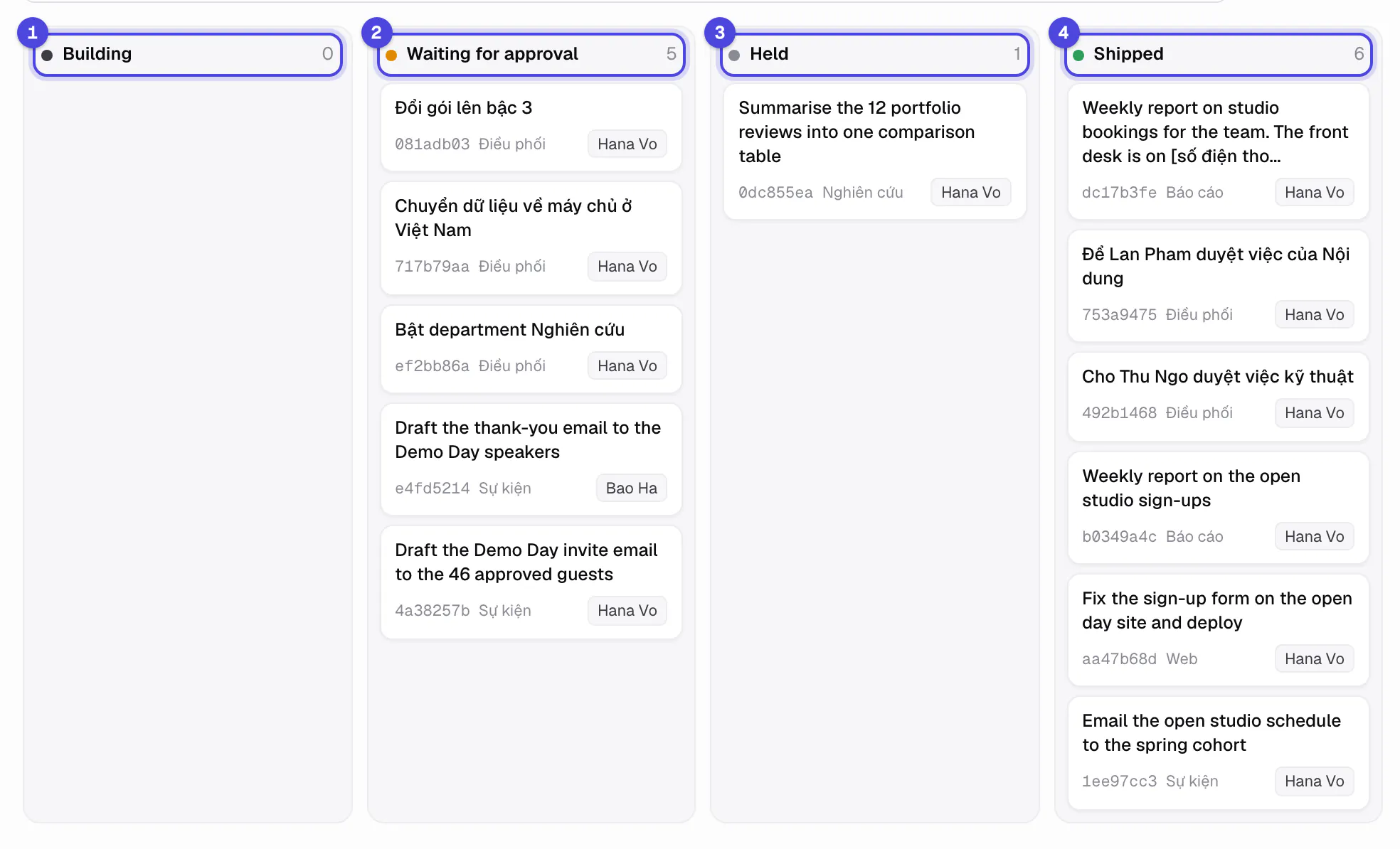
Four columns: Building, Waiting for approval, Held and Shipped (done in the last 14 days). A card moves when its session moves. Inside a column, a lead can reorder any card, and anyone can reorder the cards of their own requests, with "Move up" and "Move down".
Waiting on
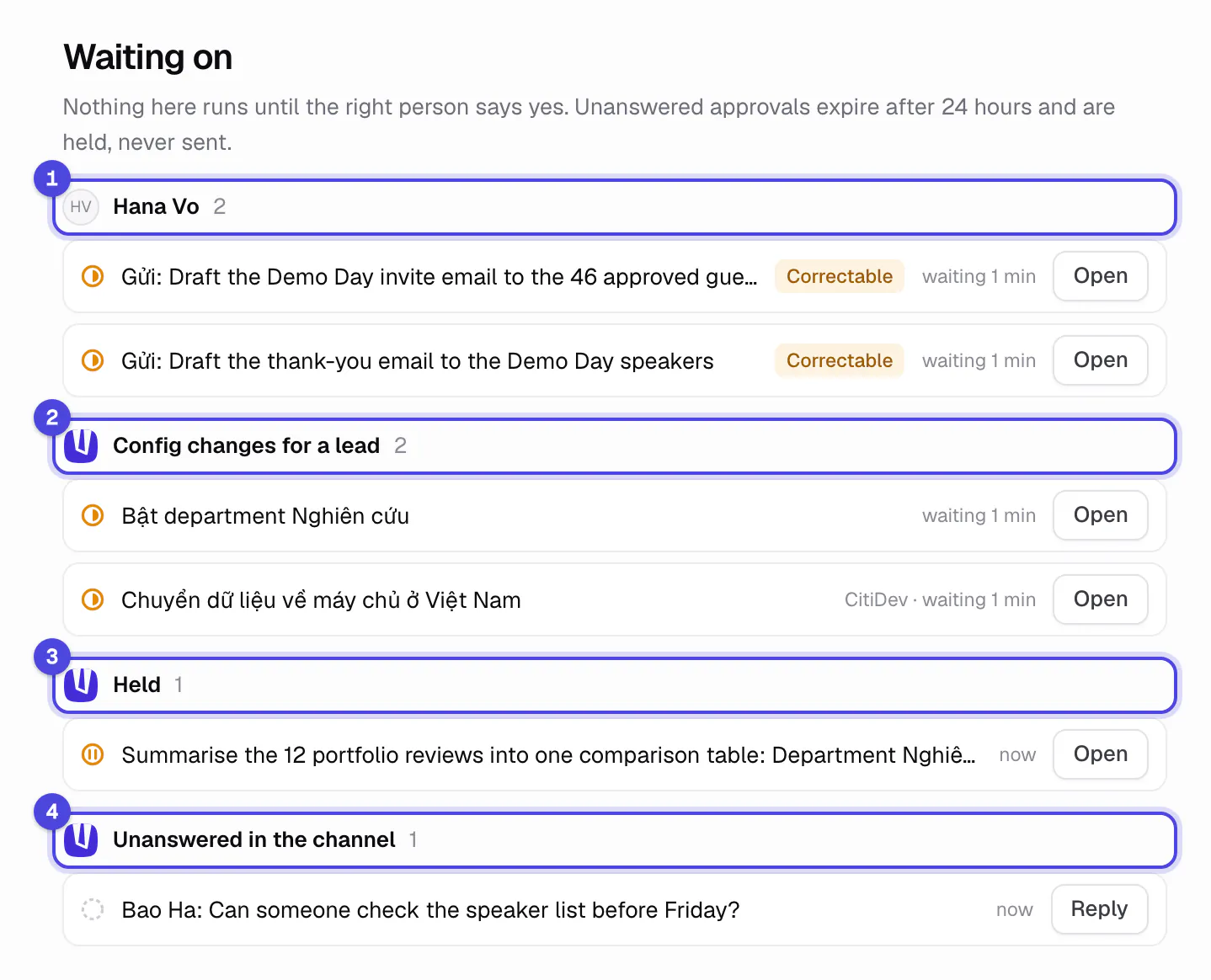
What waits on whom: approvals by approver, settings changes waiting for a lead, held requests, and channel posts nobody answered.
People
The members, then everyone else who signed in. Each profile shows the person's details, their requests and the approvals they gave. Leads edit members there. See Members and approvers.
Built by the team
The apps the team built, each with the request it started from, the requests made about it since, and its changelog.
- A lead turns a finished request into an app with "Make it an app", or registers one, and can edit it, turn it off and on, and add to its changelog.
- Team members see the apps that are turned on.
- "Request a change" on an app opens a new request tagged with it.

Departments
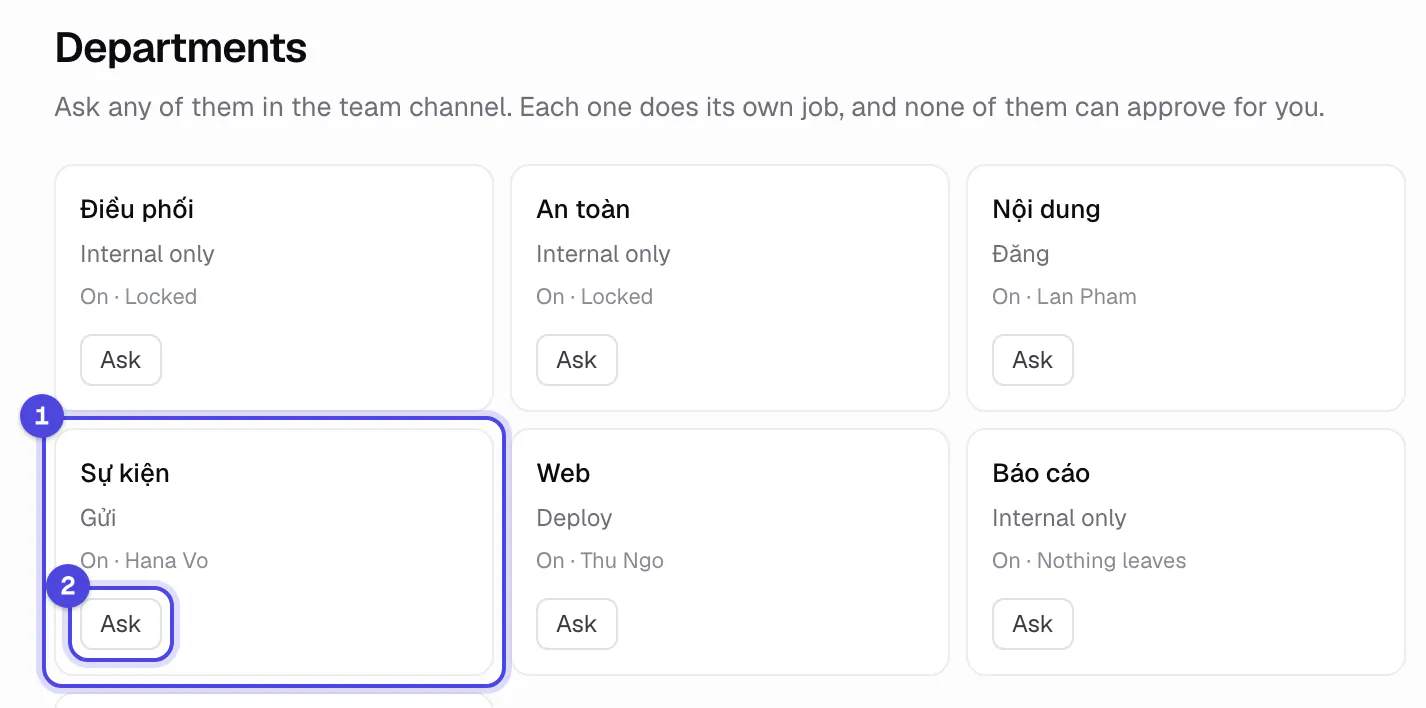
Each department, what it does, whether it is on, and who approves what it sends. None of them can approve for you. "Ask" opens the team channel with the department's name in the box.
Something here does not match what you see? Tell your CitiDev contact.