Where settings are
Settings are in four places:
- Claude key and usage, at nclerk.com/s/ followed by your workspace and /settings, opened from "Key and usage" in the Lead view's Usage tab: the AI key, the monthly budget and what the AI model cost. See AI key and usage.
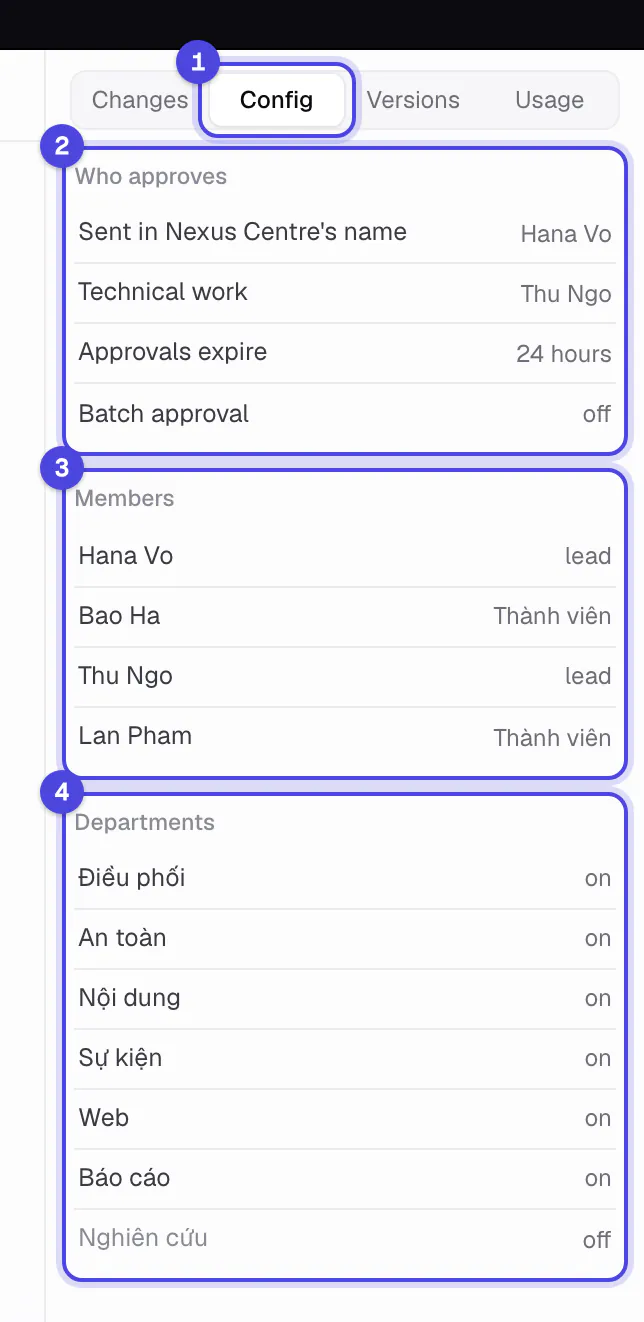
- Config, in the Lead view's right pane: who approves work sent in the unit's name and technical work, when approvals expire, the members and the departments. It only shows them.
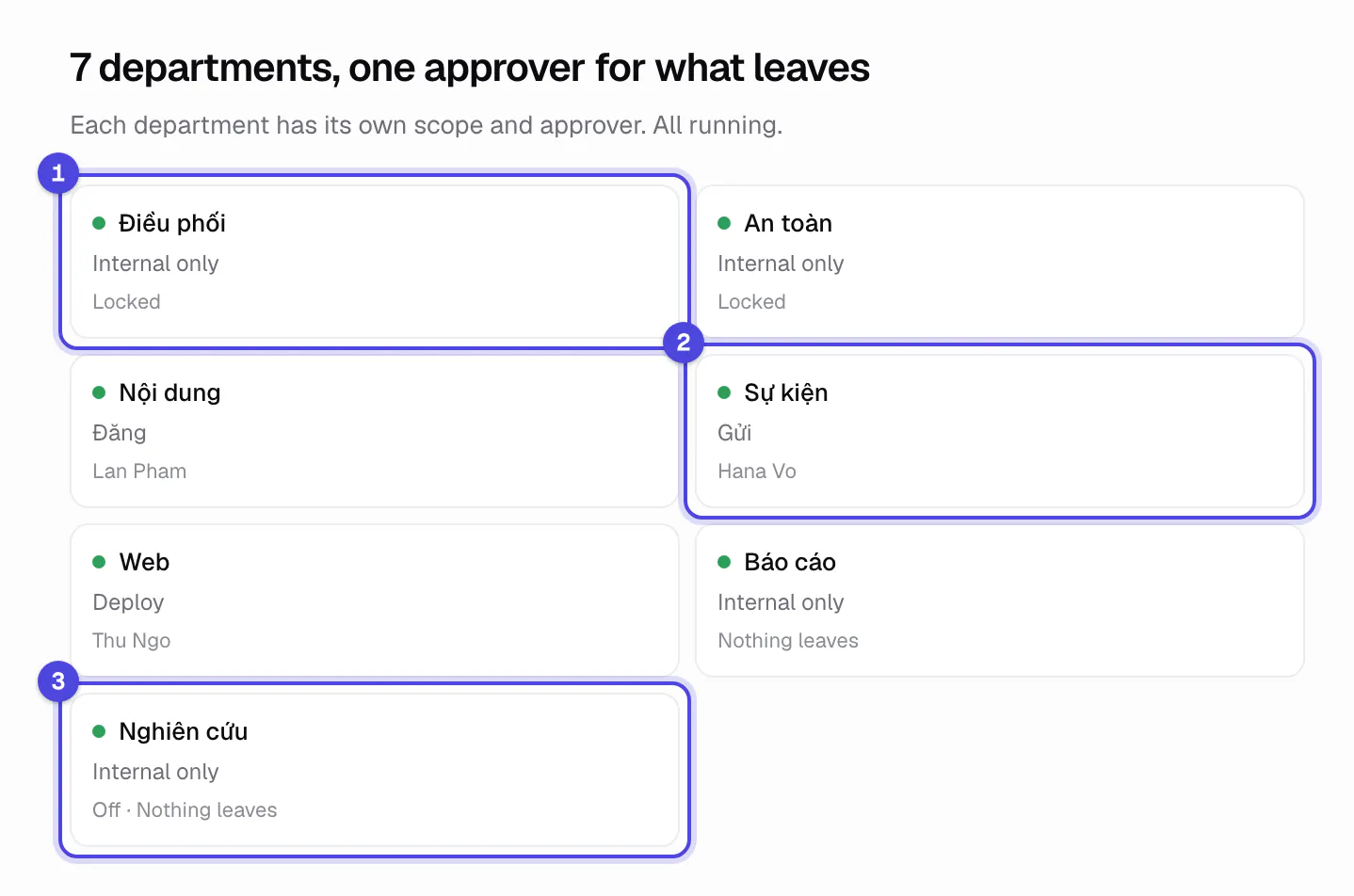
- Departments, in the Lead view: each department, what it sends out or "Internal only", and who approves it.
- People, in the Team view: members and their details. See Members and approvers.
Who changes what
- Your unit: departments on or off and their approvers, the unit and technical approvers, members and projects. A lead applies each change. Ask for one in plain words, for example to turn a department on; it opens as a change with a diff. See Undo and versions. Members are also edited in People.
- CitiDev: the plan, where the unit's data is kept, and new connections. Ask in a request: it gets a "Needs CitiDev" card. See Requests that need CitiDev.
- Nobody: the rules, such as approval before anything leaves the unit and the personal data filter. A request to switch one off is refused.
The agreement behind these layers, with each rule, term and setting, is on Terms and settings and Rules R1 to R9.
Something here does not match what you see? Tell your CitiDev contact.