A settings change
A request that changes how the workspace runs, such as turning a department on or changing an approver, opens as a config change. Nothing changes until a lead applies it.
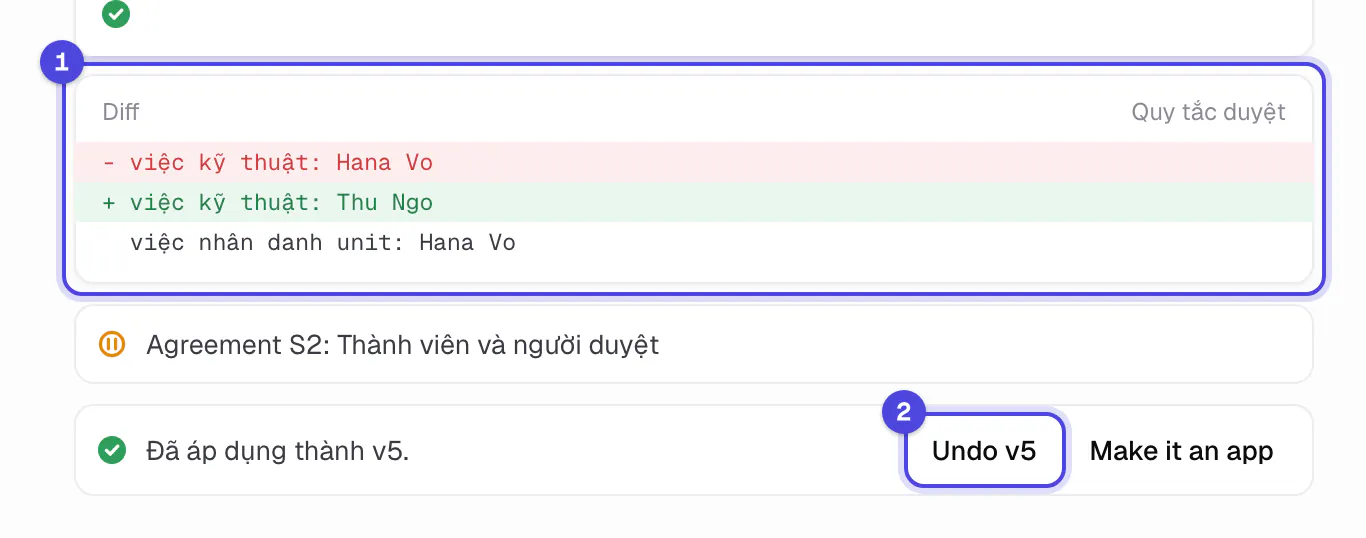
- The session shows the diff, what it changes and its effect. In the Lead view, the right pane's Changes tab shows it too.
- The card reads "Config change · v4 → v5" and asks "Apply as v5?". When there is a choice, such as what happens to the waiting work of someone who leaves, the options show as buttons. For now the choice about waiting work is only recorded: approvals already waiting stay where they are, and any lead can decide them.
- "Apply v5" makes it version 5. "Discard" closes it and nothing changes.
Only a lead applies or discards. Team members see who it waits for.

Undo
After a change is applied, a lead sees "Undo v5" in its session. Undo puts back the whole configuration as it was before that change, and records that as a new version. Any change applied after it is undone too, so use Undo on the most recent change.
Member edits made from People are versions too, but they are not sessions, so they have no Undo button. To reverse one, edit the member again.
Versions
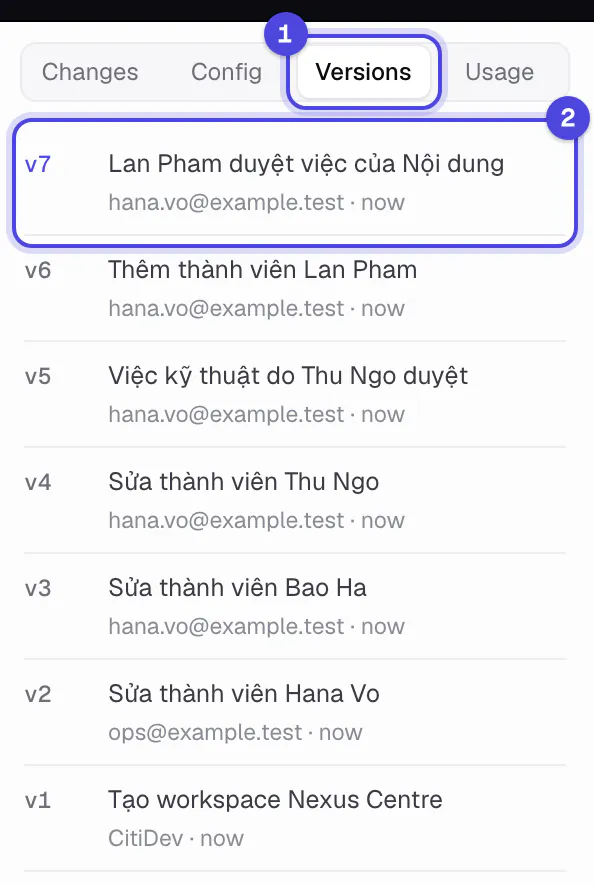
Every applied change, every undo, and every stop and resume is a version, with who made it and when. The Lead view's right pane lists them in Versions, newest first, and shows the configuration in Config. The current version shows next to the workspace name at the top of the sidebar.
Work that went out
Undo here is for settings. Work that leaves the unit carries its own undo label on its approval card. See The undo label.
Something here does not match what you see? Tell your CitiDev contact.